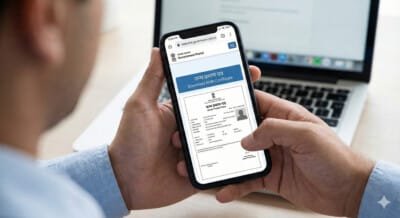
Birth Certificate is a very important document in India. It is not only the proof of a person’s age and birth, but it is also required for Aadhaar card, school admission, passport, government schemes and many other important purposes. Earlier, to get the birth certificate made and its copy, one had to visit the Municipal Corporation or Panchayat office, but now after Digital India, it can be done sitting at home. online download Can be done.
In this article we will tell you in detail that How to download birth certificatewhat documents are required, state wise download process, and what to do if records are not found.
Content topic
Why is birth certificate necessary?
Birth certificates are used in many places:
- To make Aadhar Card
- for passport
- For school/college admission
- To prove age in government schemes
- Driving license and voter card application
- in insurance claim
- To add to father/mother’s documents
this one lifetime value It is a document, hence it is important to always keep its digital copy with you.
Information required to download birth certificate
To download the birth certificate you will need some information:
- Child’s name (if added to the register)
- name of mother and father
- date of birth
- Place of Birth (Hospital/Home)
- District and State
- Registration Number (if available)
- Mobile Number (for OTP)
Even if you don’t have a registration number, you can still search records by name and date of birth in many states.
How to download birth certificate online? (Step-by-Step)
Although every state’s website is different, almost 80% of the process is the same. Here is the general process that can be applied to any state.
1. Open your state’s birth and death registration website
Every state has its own Civil Registration System (CRS) website.
some examples:
- Uttar Pradesh: crsorgi.gov.in
- Bihar: eolakh.bihar.gov.in
- Rajasthan: pehchan.raj.nic.in
- Madhya Pradesh: crs.mp.gov.in
- Maharashtra: birthcertificate.maharashtra.gov.in
- Delhi: edistrict.delhi.gov.in
⭐ Method:
Search on Google – “State Name + Birth Certificate Download”
2. Click on Birth Certificate download section
After opening the website, you will see any of these options:
- Download Birth Certificate
- Birth Certificate Search
- Birth Record
- birth certificate download
Click on this option.
3. Fill in the details of the child
Now you have to enter some information in the search form:
- baby name
- Father/Mother’s Name
- date of birth
- Gender (Male/Female)
- District / Tehsil
- Place of Birth: Hospital/Home
- Registration Number (if any)
Proceed after filling all the information carefully.
4. Search Record
After filling all the information, click on “Search” or “Find Record”.
If the information is correct then on the screen:
- child’s full name
- parents name
- date of birth
- registration number
- place of birth
Everything will be visible.
5. Download Birth Certificate PDF
down after getting the record Download / Print Certificate The option will come.
- click this
- PDF file will open
- Now you can save it in mobile or computer
- If needed, you can print it immediately
This PDF is completely valid and can be used like any government document.
State wise birth certificate download process
Below is the short process of some big states:
1. Download Birth Certificate in Uttar Pradesh (UP)
- Visit crsorgi.gov.in
- Click on “Birth Certificate”
- Enter District, DOB and Parents Name
- Search
- Download PDF
2. Birth certificate download in Bihar
- Open eolakh.bihar.gov.in
- Download Birth Certificate चुनें
- Enter parent’s name + DOB
- Open Record
- Download PDF
3. Download Birth Certificate in Rajasthan
- Visit pehchan.raj.nic.in
- Select Birth Certificate option
- Fill District + Name + DOB
- Search > Download PDF
4. Birth certificate download in Delhi
- edistrict.delhi.gov.in
- Birth Certificate Download
- Enter Application/Registration Number
- Download PDF
What to do if record is not found?
Many times records are not available. Reasons for this:
- The hospital did not upload the records
- wrong date of birth or name
- Old records have not been digitized yet
- Registration number is wrong
- Name entered later but not updated
Solution:
- Get records updated by visiting Municipal Corporation/Panchayat
- Take a copy of the registration number again
- Get the search done from CSC center person
- Ask in the Birth Records Section of the hospital
Benefits of downloading birth certificate
- Available in 1 minute at home
- Can take new print again and again
- immediate use in government work
- is considered certified by having a digital signature
- no fear of getting lost
- Can always be saved in mobile
conclusion
Nowadays it has become very easy to download birth certificate. You neither have to go to any government office nor stand in long queues. Simply open your state’s website, enter the child’s information and Download birth certificate in PDF Get it done. This process is completely safe and is valid anywhere.